
Table of contents
- Types of MSP backup solutions
- Popular backup platforms for MSPs
- Benefits of implementing backup solutions
- Three backup methods explained
- Cloud vs on-premise vs hybrid backup storage
- Five considerations when choosing an MSP backup solution
- Build reliable backups into your service stack
- Frequently Asked Questions
TL/DR:
- MSP backup solutions are built for multi-tenant environments: each client gets isolated storage, encryption, retention, and restore permissions, all managed from a single console and tied into PSA/RMM for billing and automation.
- You’ll usually choose between three deployment models: BaaS (no infrastructure but slower, costly large restores), on-premise (fast, controlled, capex-heavy), and hybrid (fast local restores plus cloud resilience, but more complex to run).
- Effective backup strategies mix full, differential, and incremental methods to balance storage costs with restore speed, and must account for bandwidth limits, data volume, RTO/RPO targets, and compliance frameworks (HIPAA, PCI, GDPR).
- For MSPs, backup is both protection and product: it reduces ransomware and outage impact, simplifies multi-tenant management, creates recurring and project revenue, and boosts client confidence when you can prove restores work through regular testing and documentation.
An MSP backup solution is software that creates, stores, and restores data backups across multiple client environments while maintaining complete tenant isolation.
These platforms differ from single-organization backup tools through multi-tenancy architecture, centralized management consoles, and per-client billing integration that matches MSP business models.
The technical requirements separate MSP backup solutions from enterprise tools.
Each client needs isolated backup repositories, separate encryption key management, independent retention policies, and distinct restore permissions, all managed from a single administrative interface. Solutions also integrate with PSA platforms for automated billing based on protected endpoints, storage consumption, or both.
This guide examines backup deployment models, explains how full, differential, and incremental methods affect storage consumption and restore complexity, and covers the operational differences between cloud, on-premise, and hybrid architectures.
The focus stays on decision factors that affect actual deployments: bandwidth constraints that make cloud restoration impractical, compliance frameworks that mandate air-gapped copies, and RTO requirements that determine storage tier selection.
Types of MSP backup solutions
MSP backup architectures fall into three deployment models, each with distinct operational characteristics that affect restore times, compliance posture, and total cost of ownership.
Backup as a service (BaaS) eliminates infrastructure management by using provider-hosted storage and compute resources. The MSP provisions clients through an API or management portal, sets retention policies, and receives automated billing data for invoice reconciliation. BaaS platforms abstract away storage tier management, replication topology, and infrastructure scaling. The tradeoff appears during large-scale restores. Bandwidth becomes the bottleneck, and egress charges can exceed monthly storage costs for recovery operations. Some BaaS providers offer physical shipment of backup data on drives for disaster recovery scenarios where downloading terabytes isn’t feasible.
On-premise backup solutions require capital investment in storage arrays, typically NAS or SAN systems, plus backup server infrastructure. This model makes sense when aggregate client data exceeds several terabytes or when bandwidth costs make cloud storage prohibitively expensive. MSPs run backup agents on client systems, directing backup traffic to locally-managed repositories. The architecture requires planning for storage growth, implementing RAID for redundancy, and maintaining offsite copies through tape rotation or periodic replication to secondary sites. Hardware refresh cycles typically run 3-5 years depending on warranty coverage and storage capacity planning.
Hybrid platforms split backup destinations between local repositories and cloud storage, usually implementing a tiering strategy where recent backups stay local and older backups migrate to cloud storage. This addresses the competing requirements of fast local recovery and offsite redundancy. The operational complexity increases. Validation requires checking both local and cloud backup completion, retention policies need coordination across tiers, and restore procedures vary based on backup age. Most hybrid implementations use the 3-2-1 rule: three copies of data, two different storage media types, one offsite copy.
Popular backup platforms for MSPs
Syncro Cloud Backup
Syncro’s Extended Monitoring & Management (XMM) platform includes integrated cloud backup designed specifically for Microsoft 365 environments. The platform protects email, files, users, roles, and security policies.
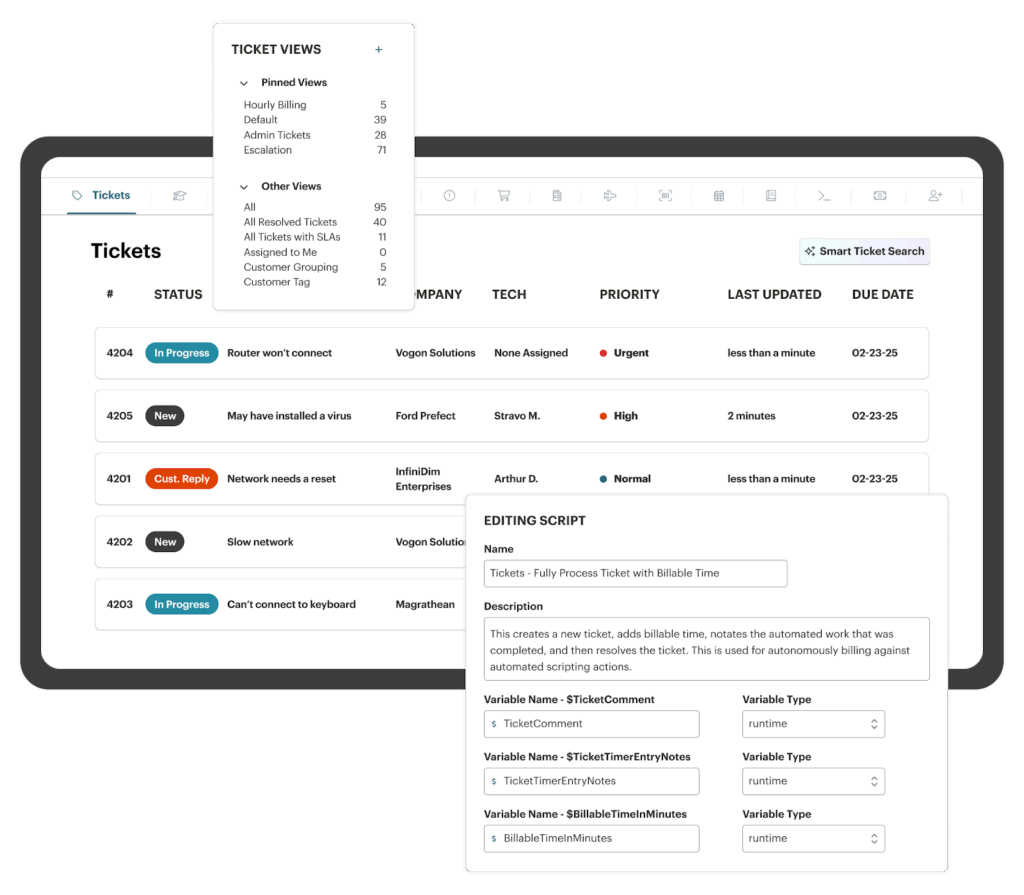
Backups run automatically multiple times daily, with granular restore options that let you recover anything from a single email to an entire identity infrastructure. The integration with Syncro’s RMM platform means automated user provisioning and billing, reducing manual overhead while protecting every client.
Acronis Cyber Protect Cloud
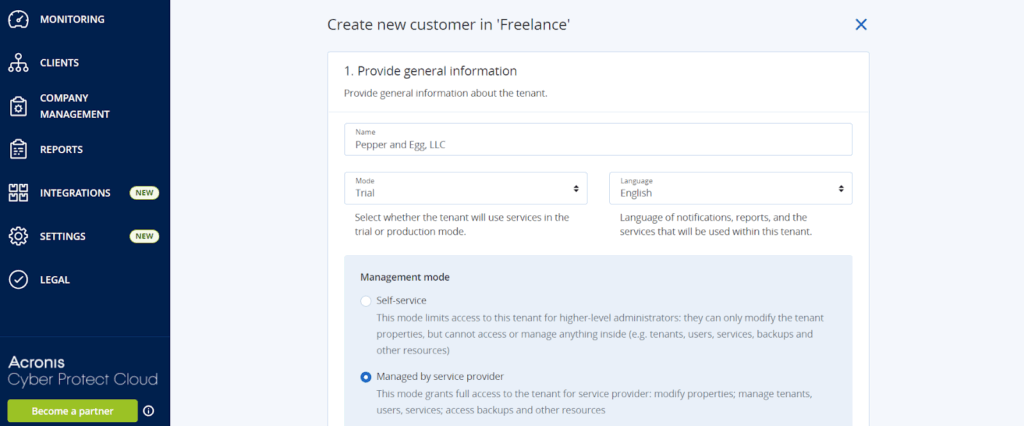
Acronis offers cloud-based backup through Acronis Cyber Protect Cloud, where MSPs manage multiple clients from a single console. The platform includes backup, disaster recovery, and cybersecurity features in one service, making it popular with MSPs looking to consolidate their security stack.
Comet
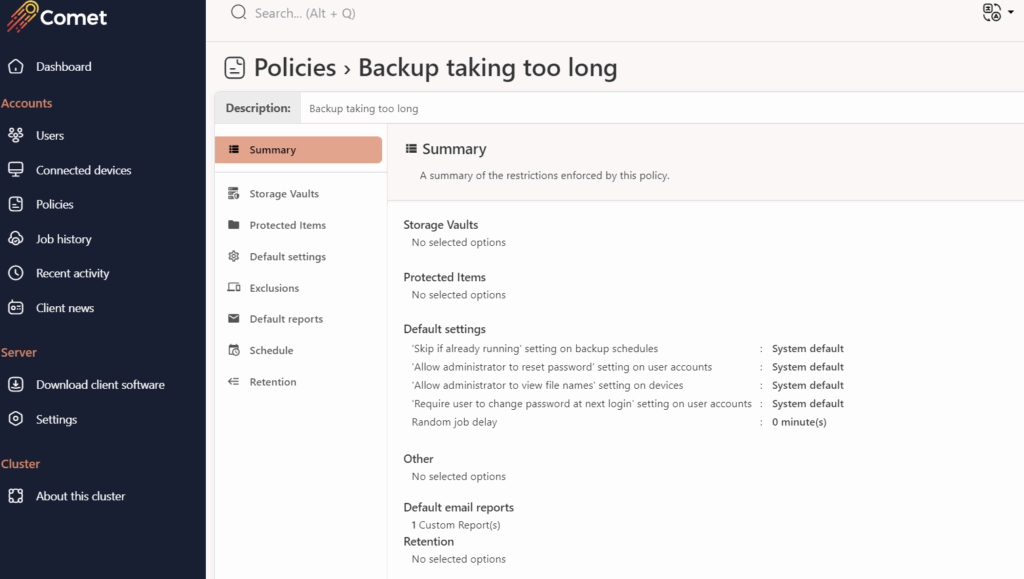
Comet supports white labeling and multiple backup types, including file, database, and application backups. The platform’s flexible pricing and deployment options make it common among MSPs who want more control over branding and client presentation.
Veeam Service Provider Console
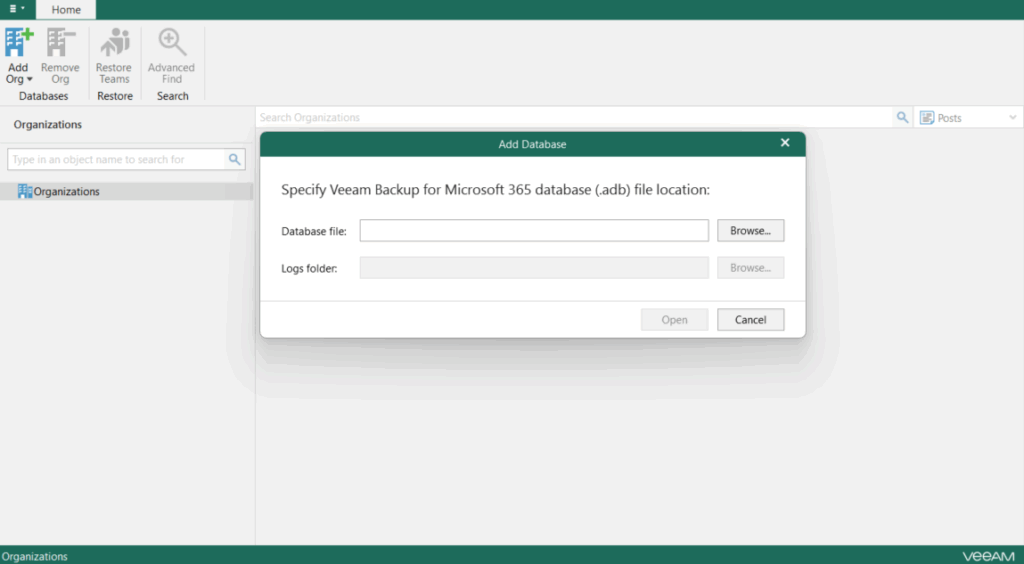
Veeam dominates the enterprise backup space and offers MSP-specific tools through their Service Provider Console. The platform excels at virtual machine backups and supports Microsoft 365, physical servers, and cloud workloads. Veeam’s reputation for reliable recovery makes it a go-to for MSPs serving larger clients with complex infrastructures.
Benefits of implementing backup solutions
Reduced incident impact: Ransomware attacks compromise 82% of small businesses according to recent threat intelligence data. The distinction between MSPs who recover quickly and those who don’t comes down to backup granularity and testing cadence. Organizations that maintain hourly incremental backups can typically restore to a point within their detection window before ransomware encrypted files but after normal business operations created legitimate data. The restore process itself becomes the path: file-level restoration for ransomware takes hours, while bare-metal recovery for compromised systems takes days. Automated ransomware detection that triggers immutable snapshots prevents attackers from encrypting backup repositories, a common escalation tactic in sophisticated attacks.
Simpler multi-tenant management: Operating backup infrastructure at scale requires architectural decisions that don’t apply to single-tenant deployments. Tenant isolation prevents one client’s restore operation from affecting another’s backup jobs. Centralized monitoring aggregates backup completion status, failed job alerts, and storage consumption trends across all clients without requiring separate logins to individual backup systems. Most MSP platforms implement role-based access control that restricts technicians to specific client contexts while allowing backup administrators to manage infrastructure globally. The administrative efficiency appears in alert management, instead of monitoring backup completion across separate systems, failed jobs surface in a unified queue for investigation and remediation.
Additional revenue streams: Backup services generate recurring revenue through several billing models. Per-endpoint pricing works for standardized clients with predictable device counts. Consumption-based billing scales with actual storage usage, making it appropriate for clients with variable data growth. Tiered service offerings differentiate based on RPO intervals, retention duration, and restore SLA commitments. The margin profile differs between BaaS resale and on-premise infrastructure. BaaS typically carries 30-50% gross margins after provider costs (which sounds great until you factor in support time for users who don’t understand why restore takes 8 hours), while on-premise solutions require higher up-front investment but deliver 60-80% gross margins after hardware depreciation. Backup services also create professional services revenue through migration projects, disaster recovery planning, and compliance documentation for regulated industries.
Client confidence: The ability to demonstrate backup validity separates reactive MSPs from proactive ones. Monthly restore testing provides concrete evidence that backups function correctly, particularly for database applications where backup completion doesn’t guarantee data consistency. Documentation of successful restores, including recovery time measurements and data integrity validation, becomes valuable during compliance audits or cyber insurance applications. Clients facing regulatory requirements appreciate documented restore procedures that meet specific RTO commitments, especially when those procedures have been tested rather than theoretical.
Three backup methods explained
| Backup Method | What Gets Backed Up | Advantages | Disadvantages |
| Full | Complete data set | Only one backup needed for restoration; Simplest to manage | Uses the most bandwidth and storage; Slowest to create |
| Differential | Changes since last full backup | Less resource-intensive than full backups; Simpler restoration than incremental | More resource-intensive than incremental; More complex than full backups |
| Incremental | Changes since last incremental backup | Fastest to create; Most efficient storage use | Requires full backup plus all incremental backups to restore; Most complex to manage |
Backup strategies typically combine these methods in patterns that balance storage efficiency against restore complexity. A common implementation runs weekly full backups, mid-week differentials, and daily incrementals. This pattern limits restore operations to three backup sets maximum while keeping daily backup windows short enough to complete during low-activity periods.
Full backup
Full backups capture complete filesystem state including all files, folders, system volumes, application data, and configuration. Block-level full backups copy entire disk volumes regardless of filesystem contents, making them appropriate for bare-metal recovery scenarios or systems with encrypted volumes where file-level access isn’t available.
Resource consumption becomes the limiting factor for full backups. A 2TB file server requires 2TB of transfer bandwidth and 2TB of storage capacity for each full backup retained. Organizations keeping 30 days of daily full backups need 60TB of storage for that single system. Transfer time calculations reveal practical constraints. A 2TB full backup over a 100Mbps connection requires approximately 45 hours, making daily full backups impossible without significantly faster connectivity or local backup targets.
Differential backup
Differential backups examine file modification timestamps since the last full backup, copying any changed or new files. Each differential backup stands independent of other differential backups. Tuesday’s differential contains all changes since Sunday’s full backup, whether or not those files appeared in Monday’s differential.
Storage consumption grows throughout the differential period. If 50GB of data changes on Monday, Tuesday’s differential contains at minimum 50GB (more if additional files changed Tuesday). By Saturday, the differential might contain 200-300GB of changed files even though daily changes only total 40-50GB. This growth pattern affects backup windows. Early differentials complete quickly while late-week differentials approach full backup duration.
Restoration from differential backups requires two operations: restore the full backup, then apply the most recent differential. The restore process overwrites any files present in both backups, ensuring the latest versions take precedence. Database applications with transaction logs often benefit from differential backups because log file restoration can replay transactions to achieve point-in-time recovery without maintaining long incremental chains.
Incremental backup
Incremental backups copy only files modified since the previous incremental backup, creating the smallest possible backup sets. Each incremental acts as a delta from the previous backup in the chain. This efficiency makes incrementals appropriate for frequent backup schedules. Hourly or even more frequent intervals become practical when each backup only captures minutes of file changes.
Restore complexity increases proportionally with incremental chain length. Recovering from a 30-day retention policy with daily incrementals requires restoring 31 separate backup sets in sequence: one full backup plus 30 incremental backups. Each incremental must apply in chronological order because later backups may overwrite files from earlier backups. Corruption or loss of any single incremental in the chain prevents restoration of subsequent backups, making chain integrity vital.
This restore dependency drives retention policy decisions. Breaking incremental chains with periodic full or synthetic full backups limits restore complexity. A synthetic full backup consolidates the previous full backup with all subsequent incrementals, creating a new full backup without re-reading source data. This approach maintains the transfer efficiency of incrementals while resetting the restore chain periodically.
Cloud vs on-premise vs hybrid backup storage
Where you store backups affects cost, recovery speed, compliance posture, and operational overhead. Each approach solves different problems.
| Backup Type | Advantages | Disadvantages | Best Use Cases |
| Cloud | Unlimited scaling; Accessible from anywhere; No hardware to maintain; No up-front infrastructure costs | Depends on internet connectivity; Slower recovery for large datasets; Ongoing storage costs; Less control over data | Remote teams; Small to mid-size clients; Cloud-based disaster recovery |
| On-premise | Full data control; Fastest backup and recovery speeds; Meets strict compliance requirements | Hardware costs up front; Requires maintenance; Limited by physical storage capacity; Vulnerable to local disasters | Large data volumes; Financial or healthcare clients with regulatory requirements; Clients needing instant recovery |
| Hybrid | Balances speed and redundancy; Local recovery plus offsite protection; Flexible per-client approach | More complex to manage; Potentially higher total costs | Clients who need both fast recovery and disaster resilience; Mixed environments with different requirements |
Cloud backup
Cloud platforms like AWS, Azure, or Google Cloud handle infrastructure, availability, and storage scaling through consumption-based pricing.
The economic model charges separately for ingress (typically free), storage (per GB-month), and egress (per GB transferred out). Storage tiers affect both cost and restore performance. Hot storage costs more but provides immediate access, while cold or glacier tiers reduce storage costs at the expense of retrieval delays measured in hours or days.
Bandwidth limitations determine cloud backup feasibility. A 100Mbps connection with 80% utilization during backup windows provides approximately 10MB/second transfer rate. This translates to 36GB per hour or 288GB during an 8-hour backup window. Organizations with 2TB of data requiring daily full backups cannot complete transfers over this connection. The math forces either differential/incremental strategies to reduce daily transfer volumes or local backup repositories with periodic cloud synchronization.
Egress costs create unexpected expenses during disaster recovery scenarios. Restoring 5TB from AWS S3 Standard costs approximately $450 in egress fees (at $0.09/GB for first 10TB). Organizations experiencing total data loss must absorb these costs during crisis periods, making egress charges a relevant consideration during platform selection. Some providers offer disaster recovery specific services with reduced or eliminated egress charges, though these typically require higher base storage costs.
Cloud backup introduces data sovereignty complications for multi-national operations. GDPR mandates that EU citizen data remain within specific geographic boundaries unless adequate protections exist. Financial institutions face similar constraints under various national banking regulations. Cloud providers address this through regional data centers, but MSPs must actively configure region restrictions rather than accepting default storage locations. Compliance frameworks often require documentation proving data never crossed prohibited boundaries, necessitating regional backup repository configuration.
On-premise backup
Local storage eliminates bandwidth constraints through LAN-speed transfers.
A 10GbE network provides approximately 1GB/second throughput, enabling a 2TB backup to complete in roughly 35 minutes under ideal conditions. Real-world performance typically achieves 60-70% of theoretical maximum due to disk I/O limitations, filesystem overhead, and deduplication processing, but even degraded performance dramatically outpaces internet-based transfers.
Hardware architecture determines reliability and scalability. NAS appliances from vendors like Synology, QNAP, or specialized backup appliances provide turnkey solutions with RAID protection and management interfaces. Larger deployments often use SAN arrays with multiple disk shelves for capacity expansion. Storage capacity planning must account for backup retention requirements plus deduplication ratios. Systems with high data similarity (many identical client workstations) might achieve 10:1 deduplication, while diverse data environments see 3:1 or less.
Disk technology affects both cost and performance. Spinning disks provide the lowest cost per terabyte but introduce mechanical failure risk and slower random I/O. SSD storage accelerates backup and restore operations but costs 4-6x more per terabyte, making it appropriate for recent backups requiring frequent access while older backups migrate to slower tiers. Many implementations use tiered storage where SSDs cache recent data while spinning disks handle bulk storage.
The primary vulnerability of on-premise backup is geographic co-location with production systems. Building fires, floods, or other facility-level disasters destroy both primary data and backups simultaneously. This reality drives offsite copy requirements, either through tape rotation to separate facilities, replication to secondary data centers, or hybrid approaches with cloud copies. Air-gapped backups (physically disconnected from networks) provide ransomware protection since attackers cannot encrypt systems they cannot reach, though this introduces operational overhead for rotation and verification.
Hybrid backup
Hybrid architectures implement backup destinations across both local repositories and cloud storage, typically following a tiering strategy based on backup age or access frequency.
Recent backups (1-7 days) remain on local storage for rapid restoration, while older backups replicate to cloud storage for long-term retention and geographic redundancy. Some implementations use cloud storage exclusively for disaster recovery, maintaining operational restore capabilities entirely from local copies.
The replication topology affects both cost and complexity.
Sequential replication sends data to local storage first, then asynchronously copies to cloud destinations during low-utilization periods. Parallel replication writes to both destinations simultaneously, providing faster cloud protection at the cost of extended backup windows. Bandwidth management prevents backup traffic from consuming all available internet capacity. Most platforms implement throttling or scheduling to restrict cloud replication to specific time windows.
Operational complexity multiplies with hybrid deployments.
Backup completion requires verifying success across multiple destinations, not just local storage. Retention policies need coordination, deleting old backups from local storage while preserving cloud copies requires distinct retention rules per destination. Restore procedures vary based on backup age and data location, requiring technicians to understand which systems hold which backup sets. Organizations frequently encounter restore failures during disasters when they attempt to recover from cloud backups that weren’t properly validated.
Testing becomes more expensive in hybrid environments.
Cloud egress charges apply during restore tests, making comprehensive testing costlier than on-premise-only deployments. Some MSPs address this by testing local restores monthly while validating cloud restores quarterly, accepting the risk that cloud backups might fail when needed. Better implementations use synthetic testing where backup platforms verify data integrity without full restoration, though this doesn’t validate the complete restore process end-to-end.
Five considerations when choosing an MSP backup solution
Recovery time and recovery point objectives: RTO defines the maximum acceptable downtime during system recovery, while RPO specifies the maximum acceptable data loss measured in time. A 4-hour RTO means systems must return to production within four hours of declaring a disaster. A 15-minute RPO requires backup intervals of 15 minutes or less. These metrics drive architectural decisions. Cloud-only backups rarely achieve RTOs under 24 hours for multi-terabyte systems due to download times, while 15-minute RPOs necessitate continuous replication or frequent incremental backups that most batch-oriented backup systems struggle to deliver. Organizations often discover their actual RTO requirements during disasters when theoretical tolerance for downtime collides with operational reality and revenue loss.
Data volume: Storage economics change dramatically with scale. A 100GB backup costs approximately $2.30/month in AWS S3 Standard storage, making cloud storage attractive. A 10TB backup costs $230/month, or $2,760 annually, approaching the cost of on-premise storage hardware that provides perpetual capacity without recurring fees. The calculation shifts further when accounting for egress costs, multi-year retention, and growth projections. Deduplication ratios significantly affect these calculations but vary wildly based on data characteristics. Virtual machine backups with many identical base images achieve high deduplication, while media files or encrypted databases see minimal reduction. Calculate effective storage requirements after deduplication rather than assuming raw data volumes.
Internet connectivity: Cloud backup feasibility depends on sustained upload bandwidth, not burst speeds advertised by ISPs. Test actual throughput during business hours when backup windows occur. A connection advertising 500Mbps down/100Mbps up might deliver 60Mbps upload during peak hours due to contention ratios. Daily backup volume must complete within available backup windows; a 500GB daily change rate requires approximately 19 hours at 60Mbps (7.5MB/sec), making nightly backup windows insufficient. Symmetric fiber connections with guaranteed bandwidth eliminate this constraint but cost significantly more than standard business internet. Network topology matters as well. Sites with MPLS or SD-WAN can route backup traffic across dedicated circuits, while internet-only sites compete with all other traffic for bandwidth.
Testing plan: Backup validation separates functional backup systems from storage graveyards that accumulate data without proving recoverability. File-level restores validate that backup files contain accessible data. Application-level restores prove that databases open correctly, that virtual machines boot, and that applications function after restoration. Full disaster recovery tests verify that documented procedures actually work and that RTO commitments can be met. Testing frequency typically follows a tiered approach. Monthly file-level restores for general validation, quarterly application restores, and annual full disaster recovery exercises. Document testing results with metrics: time to complete restore, data integrity validation results, any failures or issues encountered. Cloud platforms charge for egress during testing; factor $45-90 per terabyte into testing budgets when planning validation schedules.
Compliance requirements: Regulatory frameworks impose specific technical controls on backup systems.
- HIPAA requires encryption both in transit and at rest, access controls limiting who can view protected health information, and audit logs tracking access to backup data.
- PCI DSS mandates that backups containing cardholder data receive the same security controls as production systems, including network segmentation and quarterly security reviews.
- GDPR adds data residency requirements and “right to deletion” obligations that affect backup retention. Deleted personal data must be removed from backups as well, complicating traditional time-based retention policies.
Some frameworks require air-gapped backups specifically as ransomware protection. Financial services auditors frequently request proof that backups have been tested, requiring documented restore procedures and validation evidence. Review framework requirements before selecting backup platforms. Some technical requirements, like specific encryption standards or geographic restrictions, eliminate certain platform options.
Build reliable backups into your service stack
Backup systems that function during actual disasters require integration beyond simple data copies.
The operational difference between MSPs who recover clients efficiently and those who struggle comes down to eliminating manual coordination between backup platforms, monitoring systems, and billing infrastructure.
Syncro’s XMM platform eliminates the integration gaps that create failure points during recovery operations. RMM agents, PSA ticketing, Microsoft 365 management, and cloud backup share a unified data model where client provisioning, monitoring alerts, and billing automation flow through connected systems rather than requiring manual synchronization. Failed backup jobs trigger tickets automatically. Storage consumption feeds directly into invoicing without spreadsheet exports or manual reconciliation. User provisioning in Microsoft 365 environments automatically extends to backup coverage.
Start your free trial to test integrated backup management that reduces the administrative overhead of maintaining separate platforms while improving protection across client environments.
Frequently Asked Questions
MSP backup platforms use multi-tenant architectures that separate every client’s repositories, encryption keys, retention rules, and restore permissions. This prevents technicians from accidentally accessing the wrong client’s data and ensures compliance with frameworks like HIPAA or GDPR. Isolation is enforced at both the storage and permission layers, and most MSP-focused systems include role-based access control that limits technicians to only the clients they support.
When cloud download speeds make timely recovery impossible, MSPs commonly shift to hybrid architectures. Recent backups stay on local storage for fast RTO performance, while older copies sync to the cloud for offsite protection. Some cloud providers also offer physical drive shipment for disaster recovery so MSPs can bypass multi-terabyte downloads and restore clients more quickly.
MSPs should analyze costs using three inputs: effective storage requirements after deduplication, long-term retention needs, and egress fees for restorations. Cloud is inexpensive for small datasets but becomes costly at scale or when frequent restores are required. On-premise systems have higher upfront investment but predictable long-term costs. Hybrid models introduce flexibility by keeping fast-restore data local and pushing archival data to cheaper cloud tiers.
The only reliable method is scheduled restore testing. MSPs should run monthly file-level restore tests, periodic application restores (especially for databases and virtual machines), and at least annual full disaster recovery simulations. Testing validates data integrity, measures real-world RTO performance, and ensures that immutable snapshots or air-gapped copies can recover cleanly if ransomware infects production systems.
Full backups provide the simplest restore process but use the most bandwidth and storage, making them impractical for large datasets. Differential backups simplify recovery by requiring only a full plus the latest differential, but they grow larger throughout the cycle. Incremental backups use the least daily resources but create long restore chains. Many MSPs combine the methods (weekly fulls, mid-week differentials, and daily incrementals) to balance storage efficiency with manageable recovery complexity.

Share
Related Resources