Intro
When it comes to successfully managing your managed service provider, few things are more important than the tools you use to run your business. However, not all MSP tools, including security solution tools, are created equal. You have your standalone MSP tools that focus on specific tasks, such as backups or billing. Then you have your “all-in-one” platforms that offer a full suite of tools to automate key workflows and give your business a significant competitive advantage.
Regardless, it’s critical that you periodically review the MSP tools you use to run your business. By doing your homework and looking for specific, essential features to include in your MSP toolkit, you can gain confidence that you have the best MSP software for your business needs.
In summary, this article will provide an overview of key MSP tool features, benefits, and considerations to help you make informed decisions.
Video Summary
TL;DR: Syncro combines RMM, PSA, and M365 management in one platform. NinjaOne deploys fast but charges per device. Atera uses per-tech pricing for small teams. ConnectWise handles enterprise complexity, but implementation can take months. Choose based on M365 workload and client structure, not features you’ll never use.
MSPs waste six months implementing ConnectWise, burn budgets on per-device pricing that spirals out of control, and cobble together five tools that should’ve been one platform. In this guide, we’ll examine the leading MSP tools, comparing RMM, PSA, and all-in-one platforms to determine which is best for your team.
MSPs: don’t waste money on multiple tools
Running an RMM for monitoring, a PSA for tickets, a separate backup solution, remote access software, and a documentation tool nobody updates. Each costs money. Each needs a separate login. Each has data that doesn’t talk to the others.
This falls apart when pulling a report on which clients are profitable requires copying numbers between three systems. Or during a support call when switching between four windows to see the full picture.
RMM platforms watch networks and automate fixes. PSA systems handle tickets and billing. Remote access tools let techs control client machines. Most operations run 5-10 separate products. Some consolidate these functions. Others don’t.
Three things trigger tool changes: can’t onboard clients fast enough, per-client costs keep climbing, or competitors win deals by responding faster with fewer people.
MSP software comparison: Features and pricing
| Feature | Syncro | NinjaOne | Atera | Scribe | ConnectWise |
| Pricing model | Quote-based | Per device | Per technician ($129+) | $29/user | Quote-based |
| RMM included | Yes | Yes | Yes | No | Yes |
| PSA included | Yes | Basic | Yes | No | Yes |
| M365 management | Yes | No | No | No | No |
| Remote access | Included | Paid add-on | Included | N/A | Included |
| Backup | Integration | Paid add-on | Integrated | N/A | Module |
| Documentation | Basic | Basic | Basic | Advanced | Basic |
| Patch management | Windows + third-party | Windows + third-party | Windows + third-party | N/A | Windows + third-party |
| Integrations | 50+ | 30+ | 20 | Chrome/Firefox | 100+ |
| Setup time | 2-3 weeks | 1-2 weeks | 1-2 weeks | Minutes | 2-3 months |
| Learning curve | Moderate | Easy | Easy | Minimal | Steep |
| Best for | M365-heavy MSPs | Fast deployment | Small teams (2-5 techs) | Documentation | Enterprise (50+ staff) |
| G2 rating | 4.5/5 | 4.7/5 | 4.6/5 | 4.8/5 | 4.3/5 |
Syncro: Best MSP software for Microsoft 365 management
G2: 4.5/5
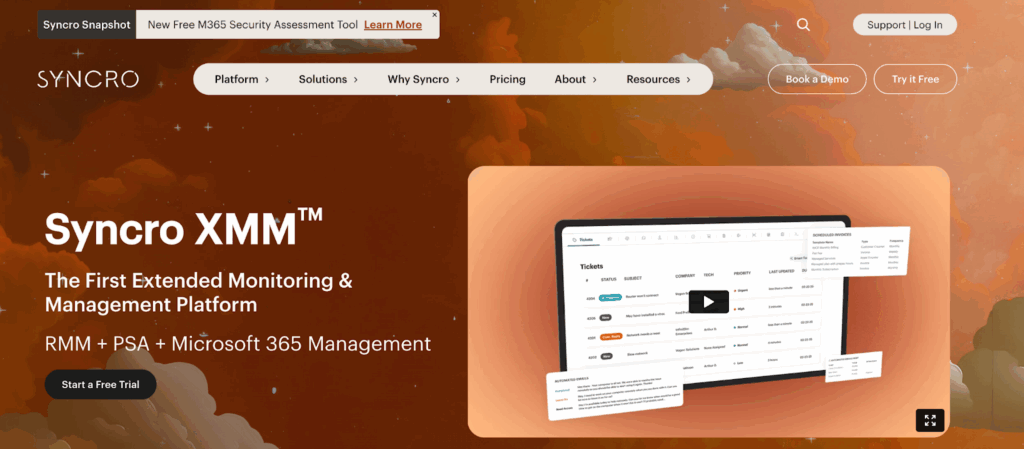
Syncro added Microsoft 365 tenant management on top of RMM and PSA. Matters if managing multiple client tenants. Skip it otherwise.
M365 automation handles user creation, password resets, license assignments in Entra ID. Security settings get checked against standards. Alerts trigger when something drifts. Security assessments pull Microsoft Secure Score for each tenant and flag what needs fixing before audits happen.
How MSP ticketing systems track unbilled work
Smart Ticket Management understands searches without exact keywords. Type “printer broken after update” and it finds tickets that said “print spooler crashed post-patch.” Auto-categorizes tickets into 47 types to trigger specific automations. Setting those automations up takes time. Worth it when common issues route to the right techs automatically.
Billing tracks unbilled work by counting assets, tracking ticket time, generating invoices. Catches forgotten line items. Most MSPs lose money every month from work that happens but never gets invoiced. This plugs that leak.
Contract management handles per-client pricing, product-specific rates, automated SLA monitoring with breach notifications. No more spreadsheets tracking different client agreements.
Remote access and patch management for MSPs
Remote access is one-click. Get registry editor, event viewer, file browser, service manager, PowerShell. No separate license. No user approval popup for unattended access. Necessary for after-hours maintenance windows.
Patching runs on schedules. Approve Windows updates and third-party apps (Adobe Reader, Chrome, Java) once. Deploy across all managed endpoints. Approval workflow prevents deploying problematic patches that break client systems.
Script library includes pre-built PowerShell and Bash scripts for common maintenance. Don’t have to write from scratch.
50+ integrations: QuickBooks, ConnectWise, Bitdefender, Google Workspace, Slack, Office 365. API access for custom connections when standard ones don’t exist.
Who Syncro isn’t built for
Syncro delivers the most value when managing M365 tenants or consolidating 3+ separate tools. Small operations under 100 endpoints without significant M365 work pay for capabilities they won’t use. The platform’s strength is its breadth. That same breadth becomes overhead when you only need basic RMM.
Get Syncro if: Managing multiple M365 tenants, per-device pricing elsewhere is unsustainable, or consolidating 3+ tools matters more than transparent upfront pricing.
NinjaOne: Fast RMM deployment for MSPs
G2: 4.7/5
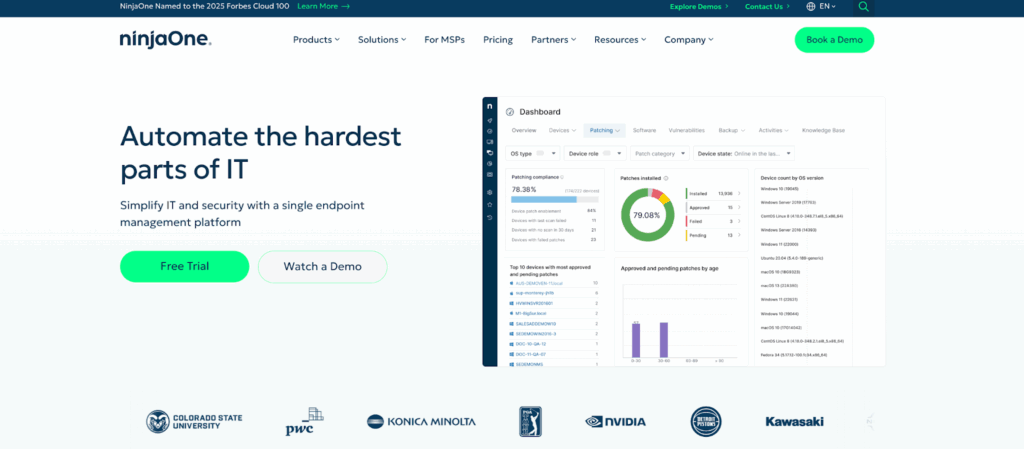
NinjaOne does RMM and gets operational fast. Marketing says one hour setup. Reality is 1-2 weeks with policies and client onboarding. Still faster than platforms taking 4-6 weeks.
Interface makes sense without documentation. New techs don’t spend two weeks hunting for buried functions. Monitoring and alerting work with defaults that cover most cases immediately. No hours tuning thresholds before the system becomes useful.
Support responds under 2 hours for priority issues. Matters at 8pm when stuck on a client emergency and need answers, not a ticket acknowledgment.
Monthly billing instead of annual commitments. Patching handles OS and third-party apps from one screen.
When per-device pricing costs more: MSP pricing comparison
Per-device pricing works with stable endpoint counts. Gets expensive fast when clients add 50 machines one month and drop 30 the next. Budget forecasting becomes impossible.
Remote access and backup are paid add-ons. Not included. Calculate total cost including those before comparing to all-in-one platforms. Sticker price looks competitive until adding what’s actually needed for daily operations.
NinjaOne customization limitations for complex workflows
Simple UI limits customization depth. Standard workflows (patch deployment, alert configuration, script execution) work great. Complex automation that chains multiple actions based on conditional logic hits walls fast.
PSA functions exist but feel tacked on. Ticketing works. Time tracking works. Sophisticated billing scenarios (tiered pricing, project accounting, contract variations) need separate tools. Fine if RMM is 90% of what’s needed.
Get NinjaOne if: Setup speed matters more than customization depth, endpoint counts stay relatively stable, or hiring techs who need intuitive tools without extensive training.
Atera: Per-technician pricing for small MSP teams

G2: 4.6/5
Atera charges per-technician, not per-device. One tech managing 500 endpoints costs the same as managing 50. Changes the economics entirely.
The math flips for small teams managing large client bases. Three techs managing 1,200 endpoints pay for three licenses, not 1,200. Competitors using per-device pricing charge for every single endpoint. For lean operations, this pricing model makes or breaks profitability.
Combined RMM and PSA
Combines RMM and PSA without integration complexity. Network discovery finds new devices automatically when clients add hardware. Ticketing connects to billing for automatic time tracking. No separate system needed for tracking hours against projects.
AI automation handles common workflows after initial setup. Standard monitoring, alerting, patch deployment work without scripting. Custom processes (specific client workflows, unusual maintenance requirements) need manual configuration.
Limited integrations: What Atera doesn’t connect to
Only 20 integrations versus 50+ from competitors. Missing connections mean manual data transfer or tool switching. Pain point for operations already invested in specific accounting software, documentation platforms, or security tools that Atera doesn’t connect to.
Reporting is basic compared to dedicated PSA platforms. Get standard ticket metrics, time tracking, billing reports. Don’t expect analytical depth or custom report building.
Get Atera if: Running a small team (2-5 techs) managing hundreds of endpoints, predictable per-tech costs matter more than per-device models, or needs fit standard monitoring without extensive customization.
Scribe: Automated documentation for MSP workflows
G2: 4.8/5
Scribe records screen activity and generates step-by-step documentation with automatic screenshots. Desktop app and browser extensions for Chrome and Firefox.
Execute a procedure once while recording. Get numbered guides with embedded screenshots. Eliminates the screenshot-paste-annotate cycle that consumes hours for documentation nobody wants to create.
Why documentation matters for MSPs
Documentation updates complete in minutes. When procedures change (new software versions, workflow modifications, policy updates), fixing guides requires five minutes versus two hours of manual editing. Outdated documentation teaches incorrect procedures. Current documentation actually gets used.
New technician onboarding transitions from “shadow someone for two weeks” to “complete these documented procedures.” Reduces onboarding time while capturing steps that shadowing misses because experienced techs forget to verbalize learned behaviors.
Browser extensions function inline during normal workflows. No switching to separate applications or remembering to initiate recording.
What Scribe doesn’t do
Exclusively addresses documentation creation. Still requires separate tools for monitoring, patching, remote access, billing. Not a replacement platform. A specialized tool solving one specific pain point.
Automatic recording captures extraneous clicks and navigation. Complex procedures with conditional logic (if client uses X, do Y; if using Z, do A instead) require manual editing post-capture. Linear workflows work excellently. Branching logic less effectively.
Must manually annotate reasoning behind steps. Tool captures interface interactions (buttons clicked, text entered). Doesn’t capture decision-making logic or contextual reasoning.
Get Scribe if: Documentation lags current procedures or doesn’t exist, onboarding new technicians regularly, or documentation time competes directly with billable client work.
ConnectWise: Enterprise MSP platform for large teams
G2: 4.3/5
ConnectWise launched in 1982. Built for MSPs with 50+ employees handling complicated service offerings across diverse client bases.
PSA includes quote generation with multi-tier pricing, project management with resource allocation, contract management with client-specific terms. RMM manages endpoints across distributed networks. Machine learning through Asio platform for security threat detection and workflow optimization.
ConnectWise billing features for multi-tier MSP pricing
Manages billing scenarios simpler tools can’t touch. Multi-tier pricing where different services have different rates for different client tiers. Project accounting that tracks labor and materials against quoted amounts. Contract variations that differ by client, service type, term length.
Ecosystem includes modules for cybersecurity management, backup administration, vendor management. Procurement integration streamlines hardware and software purchasing with preferred vendors. Large user community means most edge cases have documented solutions. Someone already solved that weird billing scenario or strange integration need.
Implementation takes months
Implementation runs 2-3 months for full deployment. Steep learning curve requires dedicated training time. Not watch-a-video-and-start-using-it simplicity. Platform administrators need technical depth to configure workflows, set up integrations, optimize performance.
Remote sessions involve more steps than competitors. During high-volume support periods when techs handle 30+ sessions daily, extra clicks per session add up to real time loss.
Quote-based pricing provides zero transparency upfront. Complexity exceeds what smaller MSPs need. Paying for enterprise features without the client base or staff to justify them. Some modules require separate licensing beyond base platform costs.
Skip ConnectWise unless: Employing 50+ people, billing scenarios exceed what simple tools handle, or have dedicated staff to manage the platform.
How to choose MSP software: Pricing models and integration requirements
Match tools to the actual work being sold. Break-fix operations need ticketing and remote access. Managed security requires vulnerability scanning and compliance reporting.
Client structure determines which pricing model works. Ten clients with 100 endpoints versus 100 clients with 10 endpoints creates different economics with per-device versus per-tech pricing. Model both scenarios with real client numbers before committing.
Complex platforms need administrators who understand configuration and have time for optimization. Without that expertise, simpler tools with strong vendor support deliver better results even when advanced features are unavailable.
Integration requirements with existing systems matter more than new capabilities. Switching accounting software because a new MSP platform lacks QuickBooks integration creates more operational disruption than the new platform solves. Map current tool dependencies before evaluating replacements.
Consolidate MSP tools: Why all-in-one platforms reduce costs
Still copying ticket times into QuickBooks? Still switching between systems to see if a client is actually profitable? Still explaining to new techs which of your six logins does what?
Syncro consolidates endpoint monitoring, ticketing, billing, and M365 management in one platform. No more tool sprawl. No more paying separate licensing fees for systems that should talk to each other but don’t. One login. One dashboard. One system that actually knows which clients make you money.
See how Syncro eliminates tool chaos and gets your entire operation running from a single platform.
Frequently Asked Questions
MSP tools play a valuable role in simplifying IT operations for tasks such as endpoint management, network monitoring, and even billing. With the help of MSP software, MSPs are better positioned to provide high-quality service and focus on their core capabilities. By automating necessary but repetitive tasks, MSP tools help teams become more efficient and reduce the risk of human error.
XMM stands for Extended Monitoring and Management. It’s a modern, unified approach to IT management that combines RMM, PSA, and multi-tenant Microsoft 365 management into one platform. Syncro XMM helps MSPs reduce tool sprawl, automate complex processes, and deliver stronger security and user management across environments — all from a single pane of glass.
The best tools for MSPs generally include a core set of features, such as a fully integrated service desk/help desk, ticketing support, remote monitoring and management, workflow automation, customizable alerts, multi-endpoint management, patch management, cloud backups, billing tools, and integration with third-party apps. Of course, you should always consider the specific needs of your business to find tools that meet your MSP’s unique requirements.
When used properly, MSP tools can help you reduce costs and work more efficiently by automating key tasks and helping you better identify IT risks and opportunities. By enabling your team to focus on their core capabilities, you can also manage issues related to blocked client resources, delivering better value for clients and increasing trust and retention rates.
It goes without saying that there’s no “one-size-fits-all” solution to choosing the best MSP tools for your business. An MSP with hundreds of clients will have different needs compared to one that has a relatively limited set of clients. Always consider factors such as:
- Number of users/clients you have
- Needed storage space
- Scalability
- Available features and integrations
- Service performance
- Governance operations
- Security standards
- Bottom line cost for your business
Carefully evaluating these factors will help ensure that you find and implement the right MSP tool for your needs.

Share
Related Resources