Table of contents
- Why MSPs and IT teams switch from PRTG
- Syncro: Integrated RMM with network monitoring
- NinjaOne: Endpoint-first monitoring
- Auvik: Cloud-based network management
- Zabbix: Open-source monitoring platform
- ManageEngine OpManager: Enterprise network monitoring
- Atera: AI-driven RMM platform
- WhatsUp Gold: Hybrid infrastructure monitoring
- Checkmk: Infrastructure monitoring with scalability
- Choosing the right PRTG alternative
- The bottom line: Why Syncro is the strongest PRTG alternative
TL;DR: PRTG’s sensor-based pricing creates unpredictable costs as networks grow. MSPs need alternatives that integrate monitoring with RMM and PSA workflows. Syncro delivers unlimited endpoint monitoring, automated network discovery, and built-in ticketing from one platform at per-user pricing. No sensor limits, no workflow friction, no billing surprises.
PRTG Network Monitor tracks network performance through sensor-based monitoring, but its licensing costs and complexity create problems for growing MSPs and IT teams. MSPs need monitoring tools that scale without multiplying costs per device, integrate with their existing RMM and PSA workflows, and deliver visibility without requiring extensive configuration time.
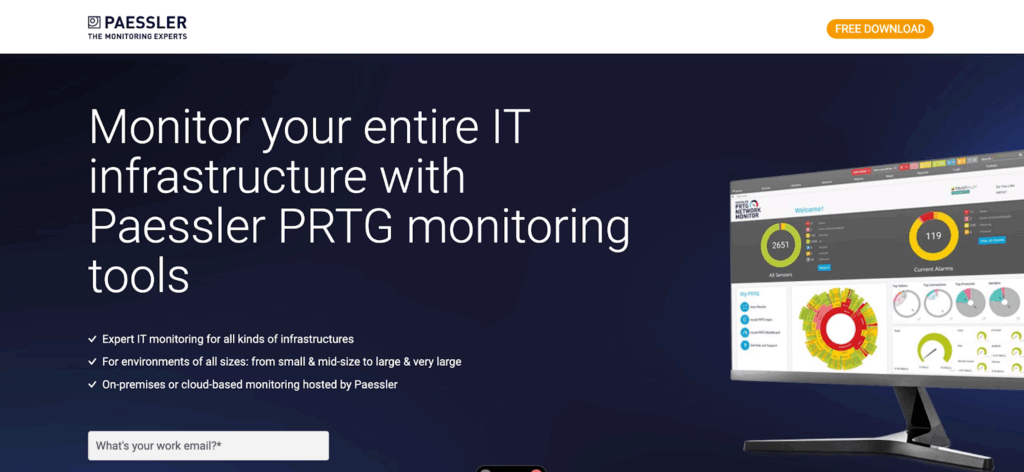
This guide examines practical alternatives to PRTG, comparing pricing models, deployment approaches, and feature sets that match what MSPs actually need.
Why MSPs and IT teams switch from PRTG
The sensor-based licensing model creates unpredictable costs. Each monitored metric counts as a sensor, so tracking CPU, memory, and network bandwidth on a single server requires multiple sensors. The 1,000-sensor license monitors roughly 100 devices, but only if you limit what you track. Adding bandwidth monitoring to 20 switches can consume 100+ sensors overnight, pushing you into the next pricing tier without warning.
Setup complexity slows deployment. PRTG requires manual sensor configuration for each device. While this gives you control, it also means hours of initial setup time per client. Technicians spend time mapping OIDs to sensors rather than resolving actual network issues.
Separate tool management creates workflow friction. When a monitoring alert triggers, you’re switching between tools to create tickets, document issues, and track time.
Syncro: Integrated RMM with network monitoring
Overview
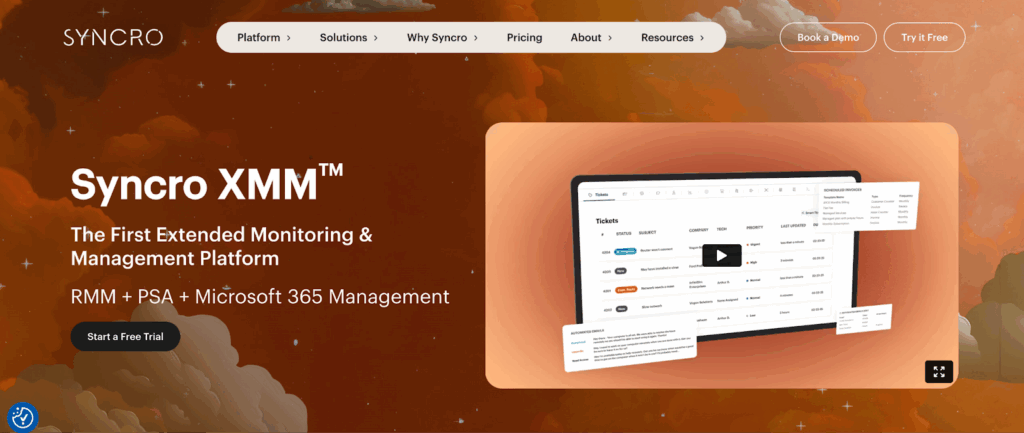
Syncro combines RMM, PSA, and network monitoring in a single platform designed for MSPs. The platform includes SNMP monitoring, network discovery, and automated alerting without separate network monitoring costs.
Key features
Network monitoring works through SNMP assets that function like RMM endpoints. You can associate network devices with tickets, configure automated remediation, and track everything from a unified dashboard. OID recipes for common device types eliminate the repetitive OID lookups that plague PRTG deployments.
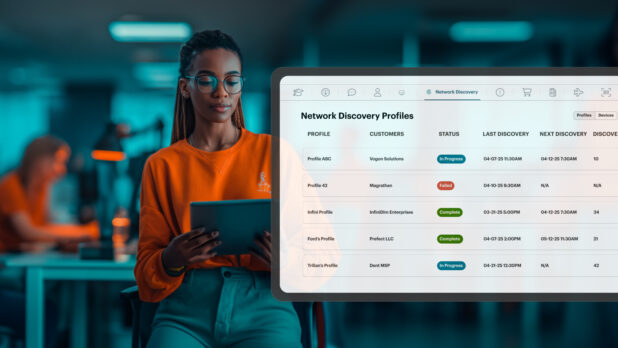
Network discovery scans existing networks, identifies unmanaged devices, and automatically pushes Syncro agents to compatible endpoints. This cuts onboarding time from hours to minutes. The automated asset inventory catches shadow IT that clients forgot to mention during scoping calls.
Real-time monitoring covers CPU load, memory usage, network bandwidth, and disk space. Customizable alerts notify you when thresholds trigger, and automated remediation resolves common issues without manual intervention. All monitoring data are fed into the same reporting system, which tracks tickets, time, and billing.
Pricing
Pricing is per-user, starting at $129 monthly, with unlimited endpoints: no sensor limits, no per-device fees, and no surprises when client networks grow.
Syncro makes sense if you:
- Need RMM, PSA, and network monitoring in one platform
- Want to eliminate sensor-based pricing uncertainty
- Manage multiple small to mid-sized clients
- Need automated network discovery and device onboarding
- Want monitoring data integrated with ticketing and billing
NinjaOne: Endpoint-first monitoring
Overview
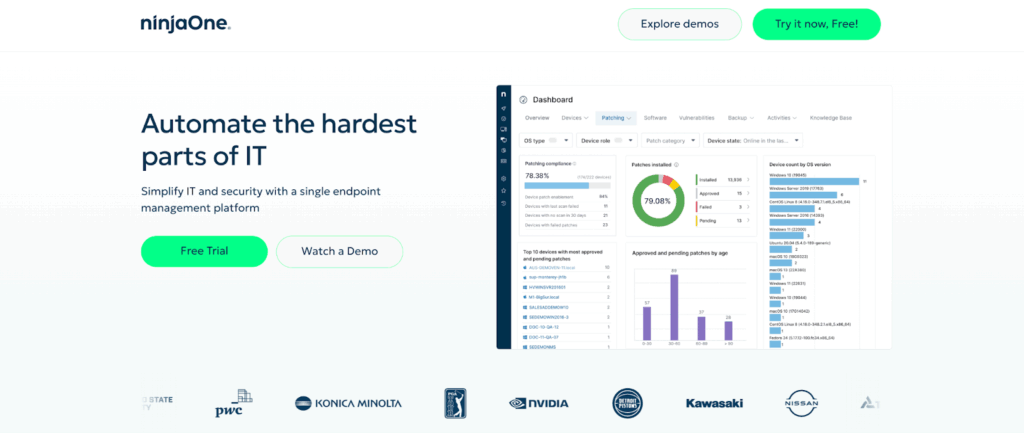
NinjaOne delivers endpoint management with network monitoring capabilities built in. Network monitoring includes SNMP device tracking for routers, switches, and network hardware. The platform automatically discovers network devices and builds topology maps showing device relationships and traffic patterns.
Key features
Customizable alerts trigger based on performance thresholds, with integration to ticketing systems for automated ticket creation. Patch management deploys updates across Windows and third-party applications on customizable schedules.
Pricing
Pricing uses per-device licensing with options for different feature tiers. NinjaOne includes remote access, backup, and documentation tools in higher plans.
NinjaOne makes sense if you:
- Prioritize endpoint management over deep network monitoring
- Need strong patch management and remote access capabilities
- Want automated asset tracking and documentation
- Prefer per-device pricing with predictable scaling
- Can integrate with separate PSA tools for ticketing
Auvik: Cloud-based network management

Overview
Auvik provides cloud-based network monitoring with automatic network mapping and configuration backup. The platform focuses exclusively on network infrastructure rather than endpoint management.
Key features
Network discovery runs continuously, detecting new devices and updating topology maps in real time. Configuration backups capture device settings automatically, letting you restore configurations or compare changes over time. Alerting includes over 60 ready-to-use alerts for common network issues.
The platform delivers strong network visibility but doesn’t include endpoint management, patch deployment, or ticketing. The integration works, but you’re managing separate vendor relationships and reconciling data across platforms when building client reports.
Pricing
Pricing is device-based, with separate tiers for monitoring and management features.
Auvik makes sense if you:
- Need best-in-class network mapping and topology visualization
- Want automated configuration backup and change tracking
- Already have strong endpoint management coverage
- Can integrate with separate RMM and PSA platforms
- Manage complex network environments where deep visibility justifies specialized tools
Zabbix: Open-source monitoring platform
Overview
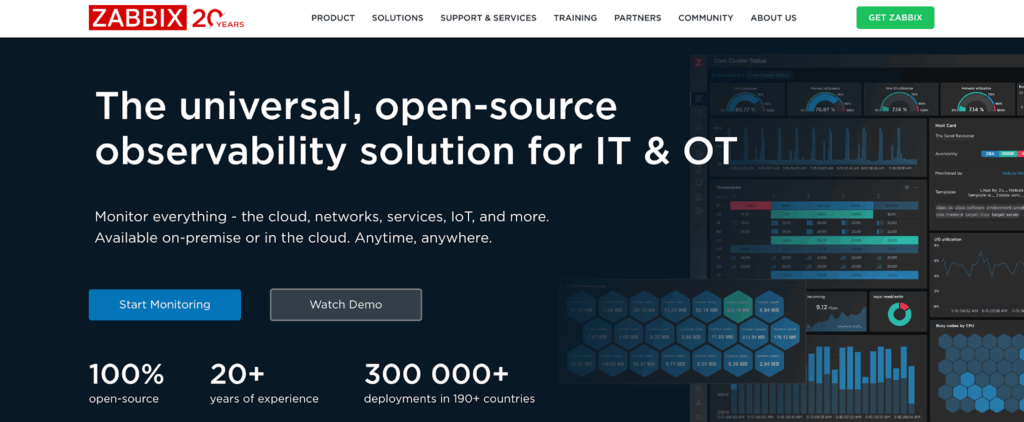
Zabbix offers open-source network and infrastructure monitoring without licensing fees. The platform scales from small networks to enterprise environments with thousands of hosts.
Key features
Monitoring covers network services, servers, applications, and hardware metrics through multiple protocols, including SNMP, WMI, and IPMI. Templates handle common monitoring scenarios, with community and official templates available for popular hardware and software.
Zabbix requires technical expertise for initial setup and ongoing maintenance. Server installation, database configuration, and agent deployment need system administration knowledge. Teams frequently underestimate the PostgreSQL or MySQL tuning needed for optimal performance at scale.
For MSPs, Zabbix works best when you have dedicated staff who can manage the platform across multiple client installations. The zero licensing cost offsets the labor requirements for technically sophisticated teams.
Pricing
Free open-source software. Costs include server infrastructure, database hosting, and staff time for setup and maintenance.
Zabbix makes sense if you:
- Have system administration expertise on staff
- Need extensive customization without vendor restrictions
- Want to eliminate licensing costs
- Manage large-scale environments where labor costs justify deployment complexity
- Can dedicate resources to platform maintenance and updates
ManageEngine OpManager: Enterprise network monitoring

Overview
ManageEngine OpManager provides network monitoring with fault and performance management for mid-sized to enterprise networks.
Key features
Device monitoring covers routers, switches, firewalls, load balancers, and wireless controllers through SNMP. Automatic discovery builds network topology, with layer-2 and layer-3 maps showing device connections. The layer-2 topology discovery catches VLAN configurations that simpler tools miss, which matters when troubleshooting broadcast storms or spanning tree issues.
Traffic analysis identifies bandwidth consumption patterns using NetFlow, sFlow, and J-Flow. QoS monitoring ensures critical applications receive priority bandwidth. Configuration management tracks device changes and maintains backup configurations for disaster recovery..
Pricing
Device-based licensing tiers. MSPs can use the MSP edition, which provides multi-tenant architecture for managing multiple client networks from a central interface.
ManageEngine OpManager makes sense if you:
- Manage mid-market or enterprise networks with complex topologies
- Need deep traffic analysis with NetFlow, sFlow, or J-Flow
- Want layer-2 and layer-3 topology mapping
- Require multi-tenant management for MSP operations
- Can justify enterprise-grade pricing for advanced network features
Atera: AI-driven RMM platform
Overview
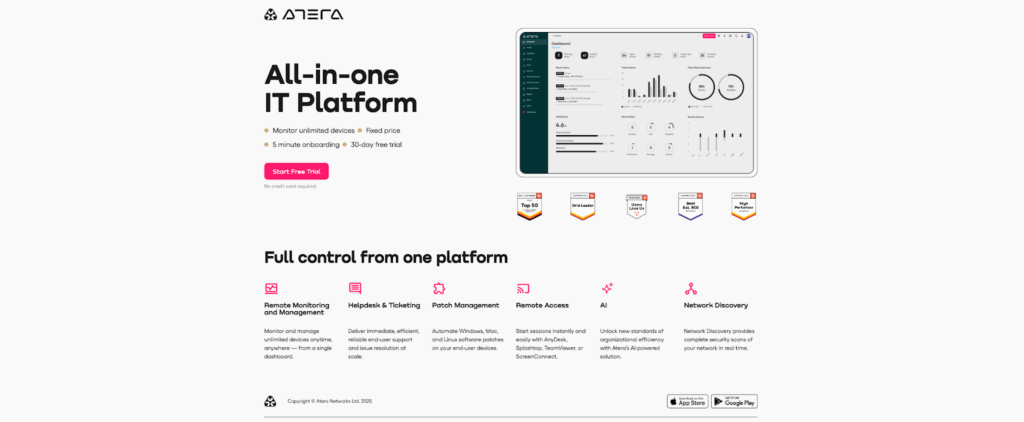
Atera combines RMM with PSA functionality and includes network monitoring through SNMP. The platform emphasizes AI-powered automation to reduce manual workload.
Key features
Network monitoring tracks SNMP devices, including laptops, servers, routers, printers, and switches. Three-tier alerting categorizes issues as informational, warning, or critical.
The AI features include IT Autopilot for automated problem resolution and AI Copilot for technician assistance. Atera positions these capabilities as eliminating up to 40% of routine IT workload.
Pricing
Per-technician pricing starts at a monthly fee covering unlimited devices. This model works for MSPs with small technical teams managing large device counts, though it becomes expensive as team size grows.
Atera makes sense if you:
- Run a small MSP team managing many devices
- Want AI-powered automation for routine tasks
- Need basic network monitoring alongside endpoint management
- Prefer per-technician pricing over per-device costs
- Can accept less depth in network visibility for broader automation features
WhatsUp Gold: Hybrid infrastructure monitoring

Overview
WhatsUp Gold monitors on-premises networks and cloud infrastructure from a unified platform. The platform bridges traditional network monitoring with modern cloud environments.
Key features:
Network performance monitoring includes bandwidth analysis and traffic patterns. Virtual infrastructure monitoring covers VMware and Hyper-V environments, with cloud monitoring for AWS and Azure resources. Application monitoring tracks critical business applications and their dependencies.
Configuration management maintains device backups and tracks changes. Distributed monitoring supports remote site visibility without requiring full server deployments at each location.
Pricing
Perpetual licensing with annual maintenance, plus subscription options. The pricing structure sits between PRTG and enterprise monitoring platforms.
WhatsUp Gold makes sense if you:
- Manage hybrid environments spanning on-premises and cloud infrastructure
- Need virtualization monitoring for VMware or Hyper-V
- Want a mature platform with enterprise-grade reliability
- Prefer perpetual licensing over subscription models
- Monitor environments where network, server, and cloud visibility matter equally
Checkmk: Infrastructure monitoring with scalability
Overview
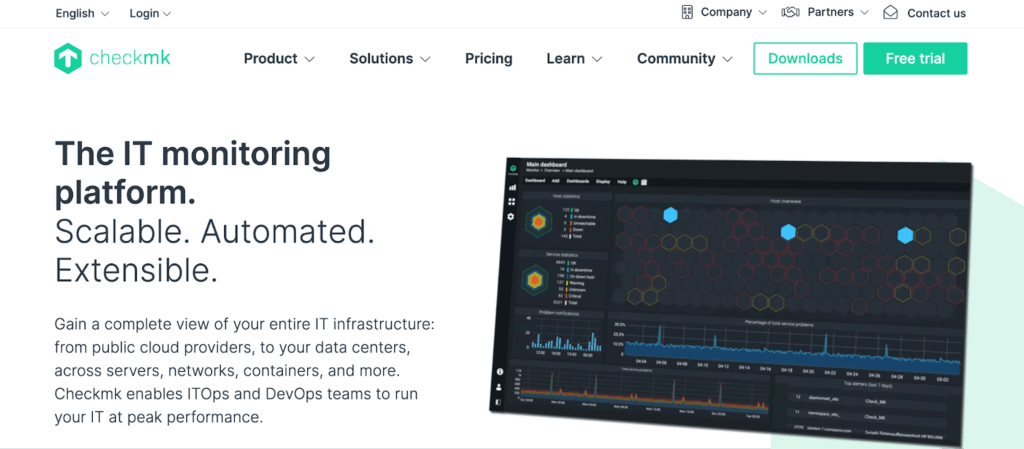
Checkmk offers both open-source and commercial editions for infrastructure and application monitoring. The platform handles massive scale while maintaining flexibility for custom monitoring requirements.
Key features
The commercial editions add enterprise features, including faster processing, advanced reporting, and professional support. Agent-based and agentless monitoring covers servers, network devices, applications, and cloud services.
Distributed monitoring architecture supports multi-site deployments with centralized management. Custom check plugins extend monitoring capabilities for proprietary applications or unique infrastructure components.
Pricing
Host-based pricing with unlimited service checks per host. The open-source Raw Edition provides core functionality, while commercial editions add enterprise features and support.
Checkmk makes sense if you:
- Need to scale monitoring across thousands of hosts
- Want unlimited checks per host without sensor restrictions
- Have technical staff who can handle advanced configuration
- Require custom monitoring for proprietary systems
- Need both open-source flexibility and optional commercial support
PRTG alternatives comparison table
| Tool | Best for | Pricing model | Strengths | Limitations |
| Syncro | MSPs needing unified RMM, PSA, and network monitoring | Per-user pricing with unlimited endpoints | All-in-one platform, automated network discovery, SNMP monitoring, ticketing + billing in one system | Not a deep network-only tool like Auvik |
| NinjaOne | Endpoint-first MSPs and IT teams | Per-device with feature tiers | Strong endpoint management, patching, asset tracking, and SNMP monitoring | Network visibility not as deep as Auvik or OpManager |
| Auvik | Teams needing dedicated network monitoring and mapping | Per-device | Best-in-class network mapping, config backup, and traffic insights | Requires separate tools for endpoint management and PSA |
| Zabbix | Technical teams wanting open-source customization | Free (open-source) | Extremely flexible, supports large-scale environments, huge template ecosystem | High setup/maintenance burden; requires system admin expertise |
| ManageEngine OpManager | Mid-market and enterprise networks | Device-based; MSP edition available | Deep SNMP monitoring, L2/L3 mapping, NetFlow analysis | More complex UI; licensing can scale quickly |
| Atera | Small MSP teams wanting automation | Per-technician unlimited devices | AI-driven automation, built-in PSA, SNMP monitoring | Costs rise with team size; network visibility is broad but not deep |
| WhatsUp Gold | Hybrid on-prem + cloud infrastructure monitoring | Perpetual license or subscription | Mature infrastructure monitoring, strong virtualization support | Pricing and setup are more enterprise-oriented |
| Checkmk | Teams needing scalable infrastructure monitoring | Per-host licensing | Massive scalability, customizable checks, open-source and commercial tiers | Requires technical expertise to deploy and maintain |
Choosing the right PRTG alternative
Your monitoring needs determine which platform fits best. Integrated RMM platforms work when you need endpoint management, ticketing, and billing alongside network monitoring. Syncro’s unified approach eliminates tool-switching and sensor-count worries.
Specialized network monitoring tools make sense when you have strong endpoint coverage and need deeper network visibility. Auvik provides exceptional network mapping and configuration management but requires separate endpoint tools.
Open-source platforms deliver functionality without licensing fees but demand technical expertise. Zabbix and Checkmk scale effectively for organizations with system administration resources.
Budget considerations extend beyond base pricing. Sensor-based models like PRTG multiply costs as monitoring expands. Per-device licensing provides predictable scaling. Per-user pricing benefits MSPs with small teams managing many devices. The real cost appears during month 6 when you realize you need three separate tools to match what an integrated platform delivers out of the box.
The bottom line: Why Syncro is the strongest PRTG alternative
PRTG’s sensor limits and the need for separate tool management slow MSP growth. When you’re juggling monitoring alerts across disconnected platforms, client response times suffer and billable work falls through cracks.
Syncro integrates network monitoring with RMM and PSA from a single interface. Unlimited endpoints, automatic remediation, and built-in ticketing mean less time switching tools and more time delivering service. Network discovery automatically finds unmanaged devices, opening new revenue streams without manual audits.
Ready to eliminate sensor counts and tool sprawl?
Start your free trial and monitor unlimited endpoints from one platform.

Share
Related Resources